Think it. Map it. Open it anywhere.
A fast online mind-mapping studio. Your maps save to your account on this site and open on any phone or laptop you sign in from — or install it as a desktop app.
Already have access? Open the app
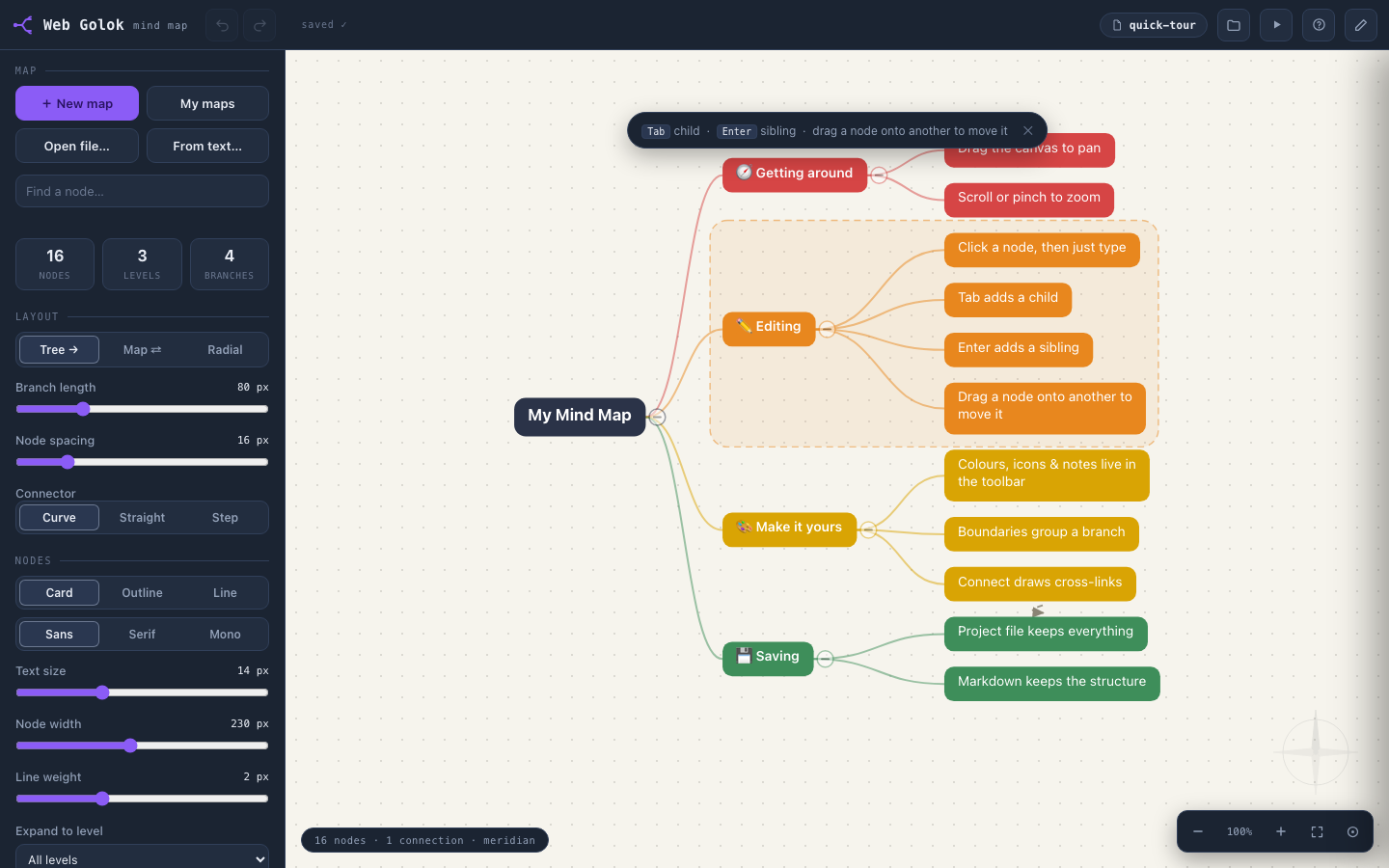
Phone & laptop — sign in anywhere
Export anytime — no lock-in
Desktop app — install in one click
Everything a serious map needs. Nothing in the way.
Plain tools that stay out of your thinking.
Three layouts, one click
Switch any map between Tree, Map and Radial whenever the shape of the idea changes.
Make it look like yours
6 colour palettes, 3 canvas themes, 3 fonts, and 3 connector and node styles — mix them per map.
Say more on every node
Give any node its own colour, an emoji, longer notes, and links out to the web.
Group and connect ideas
Draw a boundary around related branches, and add cross-connections between any two nodes.
Reorganise without fear
Drag branches around, collapse and expand, copy and paste whole branches — with undo and redo behind you.
Comfortable on a phone
Pan and zoom with touch and pinch. Search finds any node in a big map fast.
Two-way Markdown panel
Type an outline in the side panel and watch the map build itself — edit the map and the text follows. Both directions.
Present branch by branch
Presentation mode walks your audience through the map one branch at a time.
Start fast, work fast
6 starter templates to begin from, and keyboard shortcuts for everything you do often.
Boxes fit everything you write
Drag any corner or edge to resize a box. Text is never cut off — boxes grow as you type, even for whole paragraphs.
Many files in, one go
Pick or drop several files together — Word, PDF, Markdown, text — and each becomes its own map in your library.
Install it like an app
One click in Chrome or Edge installs the studio as a desktop app — its own window, its own icon, instant loading.
Buy once. Sign in. Start mapping.
Buy
Buy 1-year access for ₹2,000 — pay online, access is instant.
Sign in
The studio unlocks on your account — use it in the browser, or install it as a desktop app.
Create
Maps autosave to your My maps library and follow you across phone and laptop.
Your work comes in easily — and leaves freely
Bring work in
Turn documents into maps in seconds — pick several files at once and each becomes its own map. Import from:
Markdown
Plain text
Paste-in text
Imports work in English and Bengali (বাংলা) — paste Bengali text and map it straight away.
Take work out — anytime
Every map exports whenever you want. No lock-in:
SVG
Markdown
Project .json
Your My maps library also lets you duplicate any map and download a .json backup.
One plan. One honest price.
₹2,000 for a full year of the studio — everything included, no tiers. Any discount offer we run shows right here with its end date.
Everything is included
- The full editor — all 3 layouts, all styles and palettes
- Notes, links, emoji, boundaries and cross-connections
- Two-way Markdown panel and presentation mode
- Import from Word, PDF, Markdown and text (English & Bengali)
- Export to PNG, SVG, PDF, Markdown and project .json
- Autosaving My maps library with duplicate + .json backup
- Use on any device you sign in from — phone or laptop
- Install as a desktop app with its own window and icon
- Resize boxes from corners and edges — long text always fits
- Import several files at once — each becomes its own map
₹2,000
per year · everything included
Get 1-year access
The plain terms: access lasts 12 months from purchase. Renewal is manual — we email you a reminder, there is no auto-charge. Your maps stay saved in your account, and you can export everything at any time.
Questions people actually ask
What happens after a year?
Your access runs for 12 months from the day you buy. Near the end we email you a reminder — renewal is manual, so nothing is ever charged automatically.
What if I don’t renew?
Access to the editor pauses. Anything you exported — PNG, SVG, PDF, Markdown or .json — is yours forever. Your maps also remain stored in your account and reappear exactly as you left them if you renew later.
Where are my maps stored?
In your account on www.askarindam.com. They autosave as you work, and open on any device you sign in from. You can also download a .json backup of any map from your My maps library.
Can I use it on my phone?
Yes. It runs in the browser — nothing to install — and the canvas supports touch, pan and pinch-zoom. Sign in on your phone and your maps are there.
Can I get my data out?
Yes. While your access is active, every map exports to PNG, SVG, PDF, Markdown and project .json at any time — and exported files are yours forever. If your access has ended and you need your maps out, renew to export them, or just write to us and we’ll send you your data. No lock-in, ever.
Does it work with Bengali text?
Yes — import from Word, PDF, Markdown and plain text, or paste text in, in English and Bengali (বাংলা).
What does it cost?
₹2,000 for 12 months of full access — every feature included, no tiers. Any discount offer we run appears right on this page with its end date. Renewal is manual and never automatic.
Is there a desktop app?
Yes. Open the studio in Chrome or Edge and click Install desktop app — you get its own window and icon, and it loads instantly. On iPhone and iPad, use Add to Home Screen in Safari. The installed app follows your access automatically.
Map your next big idea today
One year of the full studio — ₹2,000, everything included.
12-month access · manual renewal with an email reminder · export everything, anytime.